Features
Everything in Twistika.
A practice tool, a 2-player game, and a streak you'll get weirdly protective of. All offline.
The lead hook
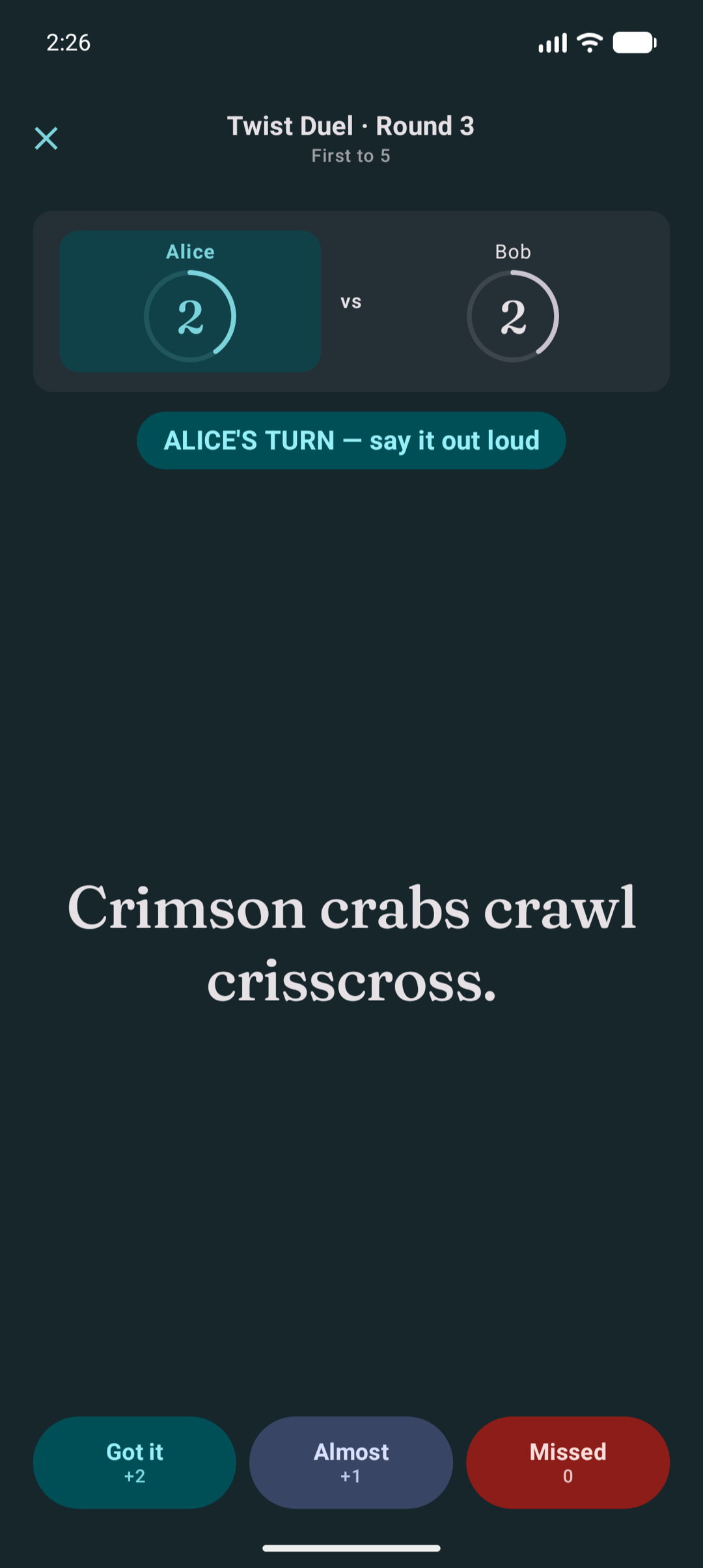
Twist Duel: pass-the-phone gameplay
Pass-the-phone 2-player game. One phone, two players. Take turns reading a twister aloud. The watcher scores: Got it +2, Almost +1, Missed 0. First to the target wins. No timers. No microphone analysis. No apps to install on a second device. Tap-to-end-turn keeps the rhythm fast. The Recent Duels strip on your home tab remembers the last few results so you can see who's ahead in your house.
Practice
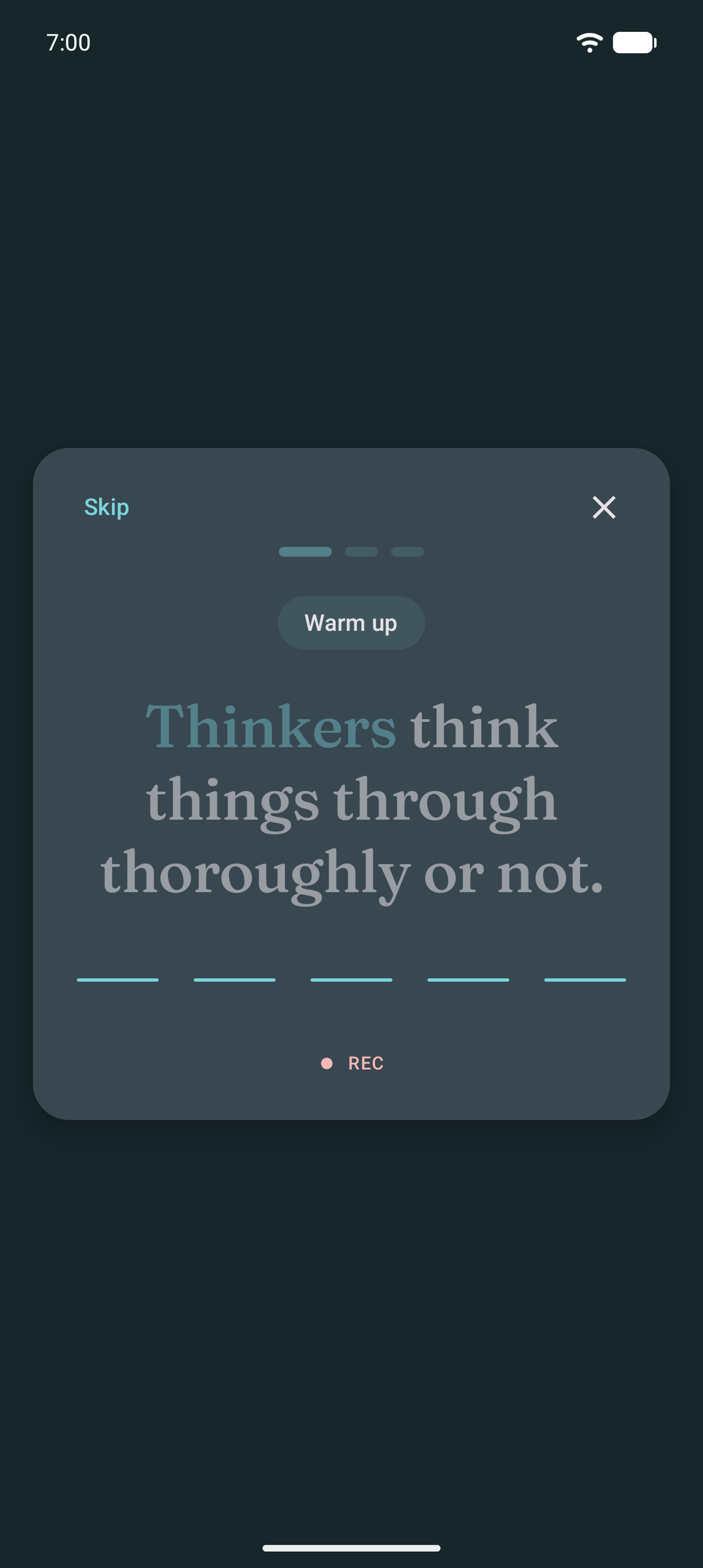
Speed Ramp: three rounds, faster each time
Sweep through each twister three times, warm up, fast, then blazing. A live waveform shows your voice as you go. Hear each round back, redo any stage, and save your best takes.
Practice
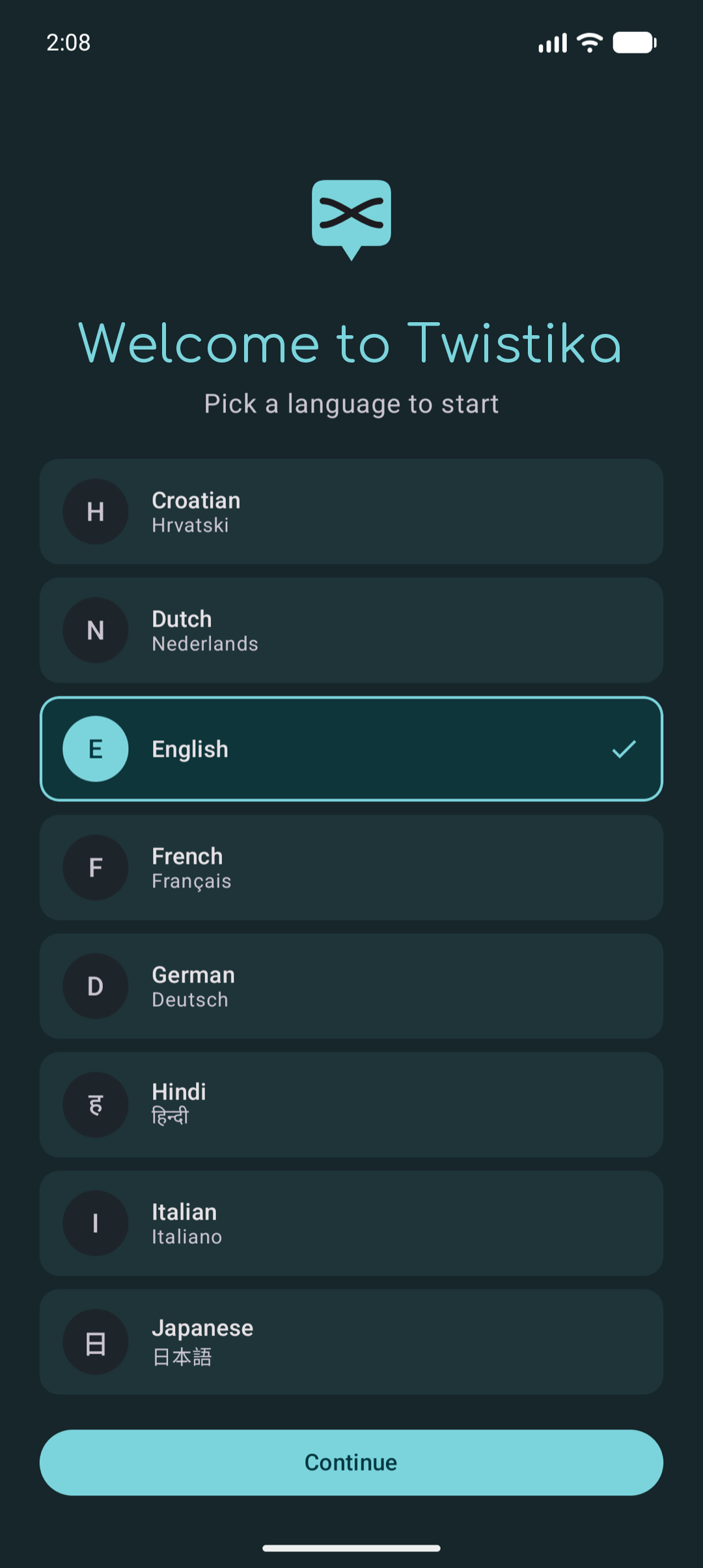
15 languages, around 1,000 twisters each
English, Spanish, French, German, Italian, Portuguese, Dutch, Russian, Polish, Croatian, Turkish, Hindi, Japanese, Korean, and Persian. Around 1,000 hand-curated twisters per language. Every language is read by native speakers during curation; no auto-translation. Switch languages anytime from Settings. Your favorites and mastered list stay scoped per language, so they don't bleed across decks.
Practice
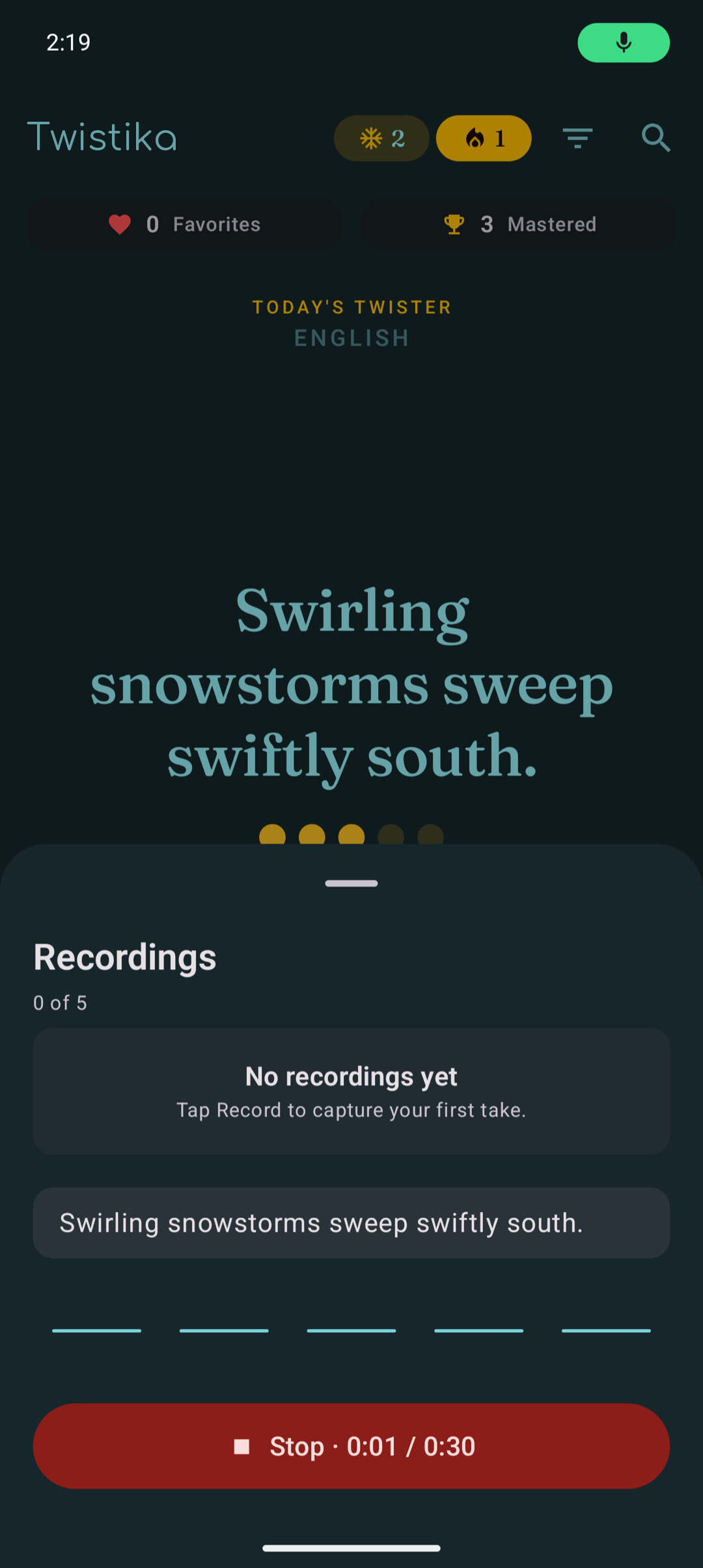
Voice recording with waveform playback
Tap the Recordings pill on any twister to capture a take. Up to 5 takes per twister, 30 seconds each. A live waveform animates to your voice as you record. Playback overlays a progress indicator so you can scrub through your delivery. Compare takes side by side. Recordings live in your app's private storage and are excluded from Google Play Auto Backup and iCloud Backup by design. They don't leave the device that produced them.
Share
Share a twister as a card
Tap Share on any twister and Twistika builds a branded image card on your device: the twister text, its language and difficulty, the Twistika logo, and a link to the store listing. That card plus a short caption go to your device's standard share sheet, so you pick which app to send it to. Nothing is uploaded by the app itself; it only shares what you choose to send.
Habit
Daily streak with freezes and a goal you pick
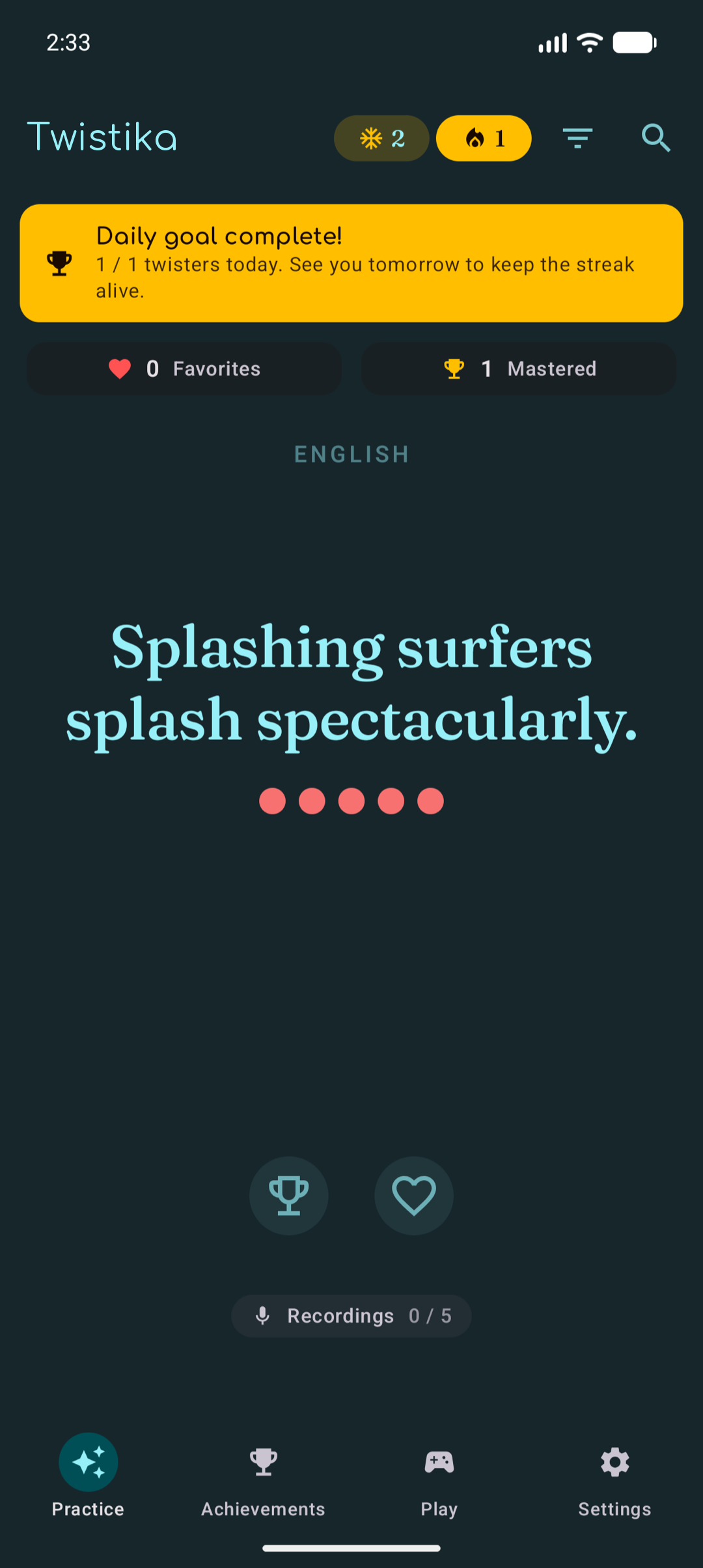
Pick a daily goal: 1, 2, 3, 5, or 10 mastered per day. Default is 3. Mastering twisters builds a streak. Earn freeze charges (max 6) by hitting milestones (every 7-day streak: +1; days you double your goal: +1). Skip a day and Twistika asks if you want to spend a freeze; decline and the streak resets but freezes are kept. Late-night practice between 00:00 and 02:00 prompts you to count it for today or yesterday.
Progress
Six speaker tiers, twelve milestones, calendar view
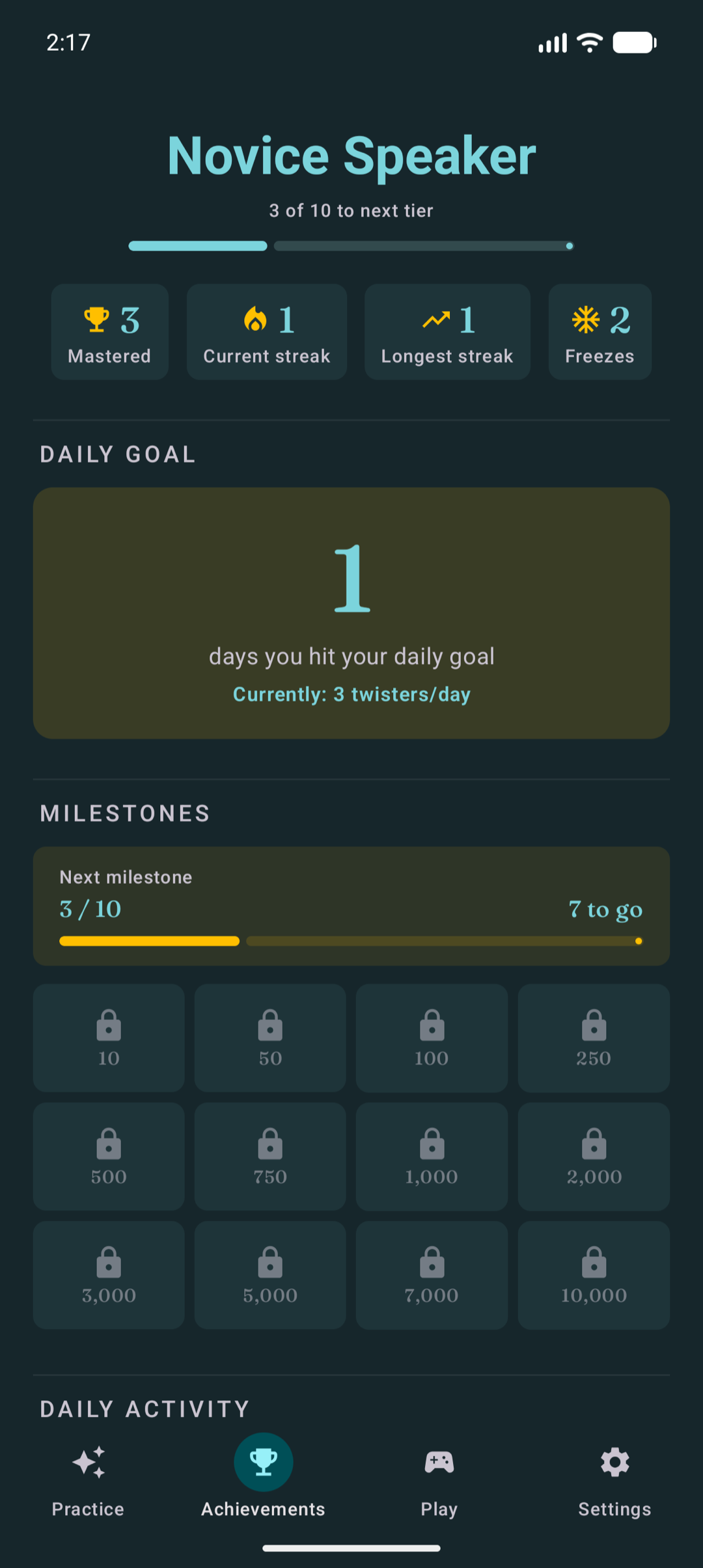
Speaker title climbs through six tiers: Novice → Amateur → Practiced → Eloquent → Master → Legend. Each tier-up celebrates with a brief animation. Twelve mastered-twister milestones (10, 50, 100, 250, 500, 750, 1000, 2000, 3000, 5000, 7000, 10000), each with its own visual reward. Calendar marks every day you used the app, with gold stars for goal-met days. Year heatmap toggle for the long view.
Look
Ten color schemes, light + dark + system
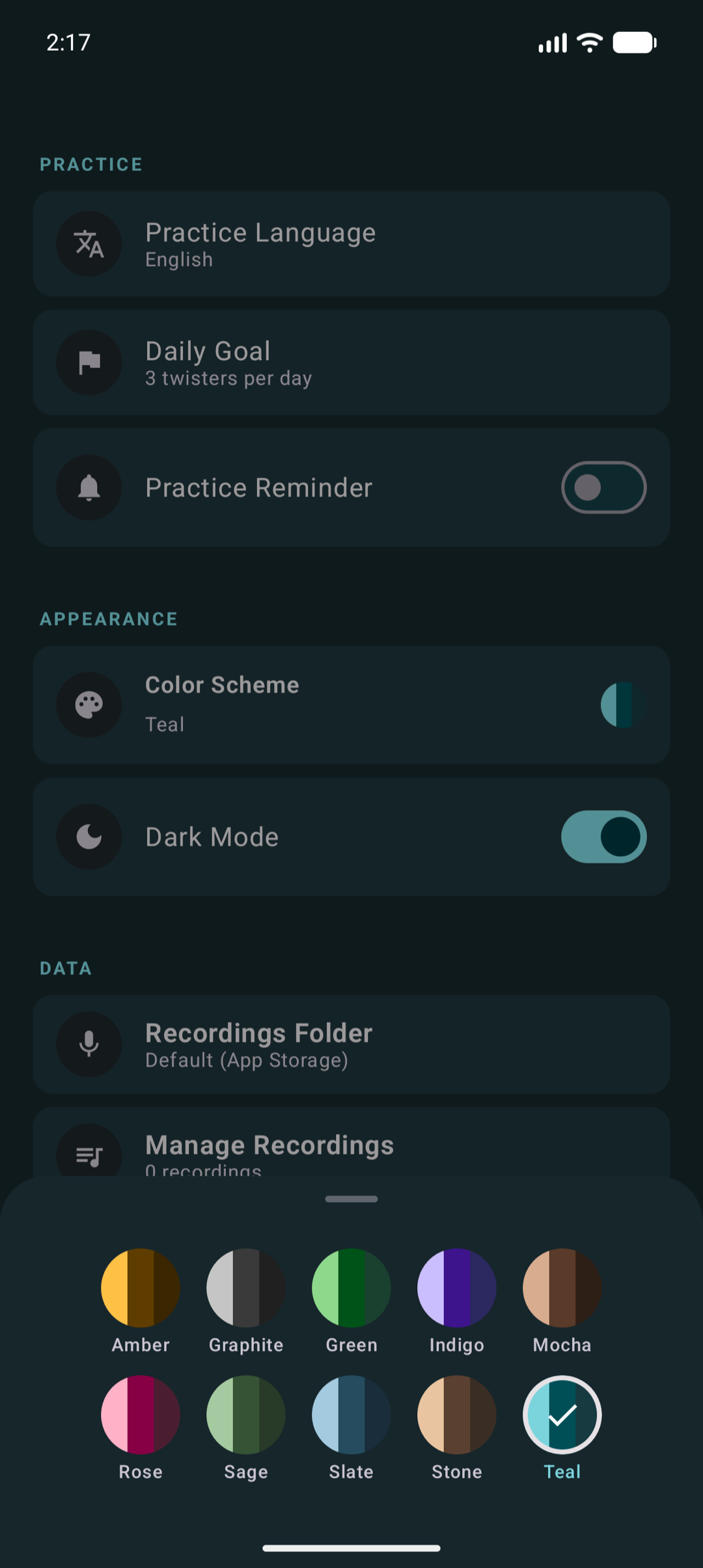
Six chromatic schemes (Indigo, Slate, Green, Amber, Rose, Teal) plus four neutrals (Stone, Sage, Mocha, Graphite). Picker is a 2×5 grid in Settings → Color Scheme. Light, dark, or system theme on top.
Privacy
Local-first by design
No account to create. No third-party cloud sync of your practice data. No advertising tracking. Anonymous crash reporting and minimal Firebase Analytics events are off by default and only sent if you turn them on in Settings. The current iOS version includes no Firebase SDK at all, so it sends no telemetry either way. Voice recordings stay on the device that produced them. Reset App Data wipes everything on demand. Type RESET to confirm.
Backup
JSON export and Auto Backup ready
Settings → Data & Backup → Export creates a JSON file you can store anywhere (Drive, iCloud, email it to yourself). Import restores from that file. Backups include favorites, mastered list, streak history, daily goal, color scheme, and notification preferences. Voice recordings and filter settings are excluded by design. Google Play Auto Backup (Android) and iCloud Backup (iOS) cover everything in the JSON list automatically. Your full progress restores on reinstall.
Support
An optional tip jar. That's the whole business model.
Twistika is free, every feature included — no ads, no paywall, no account. If it's useful and you'd like to chip in, there's an optional in-app tip jar (Settings → Support the developer) with a few one-time amounts. It unlocks nothing; the full app is identical for everyone. Tips just help keep a solo, ad-free indie app going.